Tim Isted posted an excellent tutorial on building Core Data applications with multiple windows which really cleared up some of the mystery of using Core Data for me. He guides you through the process of modifying a “Core Data Document-based Application” project to support multiple windows per document. There are a few enhancements to the project that simply cry out to be made.
Tim notes that the user interface can be improved by ensuring that the “add” and “remove” buttons for the Departments and People are enabled and disabled based on the state of the model. This is, as he points out, pretty simple, and it’s described in very nearly every bindings tutorial out there. Simply bind “Enabled” to the canAdd and canRemove keys of the appropriate NSArrayControllers.
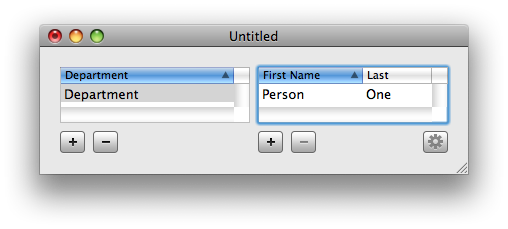
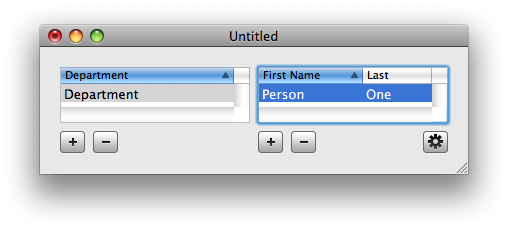
Properly enabling and disabling the “open employee window” button is slightly more difficult: where the other bindings in this tutorial simply bind values (the departments to display, the name of the person, etc.) here we’re interested in binding to a property of the value – whether it’s empty or not – rather than the value itself. Happily, this is almost as trivial as the previous cases. Rather than simply binding the values of a controller or model we’ll need to use an operator to transform the value of a controller key so that we can use it.
The enabled binding expects its bound value to be a boolean: a widget is either enabled or disabled. The select of an NSArrayController is some other collection or other (I’m not entirely sure which, but it’s definitely not a BOOL). To transform this possibly empty collection of NSManagedObjects into an empty-or-not BOOL we can exploit one of it’s operators @count (the rest are describe in the Set and Array Operators section of the Key-Value Coding Programming Guide). @count is basically just the good old count: method from NSArray: called on a collection, it returns the cardinality of that collection as an int. As we all know, most C-based and C-like languages allow you to treat pretty much anything as a BOOL with 0 being NO and every other value YES. This is exactly what we want.
To solve our problem then, we should bind “Enabled” for the “open employee window” button to “People.selection.@count”. Now the button should be disabled when no people are selected and enabled when there are people are selected.
Alas, the rest of the set and array operators (@sum, etc.) don’t seem to work. See more on this problem in Computed Attributes in Core Data,
How?and one (not entirely pleasing) solution in Emulating Operators for Core Data.